Your Cart is currently empty!
Product update
Coupon
add
Coupon code invalid! Please re-enter!
AJAX loader
You are here: HomeFree WordPress ThemesSarah
Best Free WordPress Themes 2021 | Free Download
Sarah

Sarah

Thursday, 04 April 2013 11:41

Smart News Userguide

Contents

The guide will help you install Smart News template and extensions included in this template step by step.
If you want to install the template exactly like our demo (same data), you should purchase and install the Quickstart Package.
  • Important Notes:
  • 1. Download Template and Extensions
  • 2. Smart News Template - Installation and Configuration
  • 3. Imperative Plugins - Installation and Configuration
  • 4. Other Extensions - Installation and Configuration

Important Notes

Requirement:
  • Joomla! 1.7 or 2.5
  • Some premium SJ Extensions (see part 3-Core Plugins and 4-Other Extensions)

1. Download Template and Extensions

1.1 Used for members of JTC - Joomla Template Club

STEP 1: Login at SmartAddons.com

STEP 2: Go to Download -> Free Joomla Templates or Joomla Templates Club

STEP 3: Under Free Joomla Templates, click Smart News to download

STEP 4: Under Smart News -> Download packages as you want

1.2 Used for single product purchased via e-cart

Receive Donwload-Info email -> Download packages as you want

2. Smart News -Installation and Configuration

2.1 Installation

  • Log in Administrator of Joomla! v2.5.x, go to Extensions -> Extension Manager
    On this page, click Choose File button, select our template file you have downloaded then click Upload & Install


  • Set Smart News as default template

2.2 Configuration

The parameters of Smart News Template are divided into the following groups:
  • Global Settings
  • Main Body Column Settings
  • Layout Settings
  • Style Settings
  • Top Menu Settings
  • Content Component Settings
  • Advanced Options
alt

GLOBAL SETTINGS

  • Generator tag - Generate tag for your template
  • Template Width Type - Allow to choose pixel or %
  • Template Width - Allow to set width
  • Hide Main Content Block - Allow to hide Content Component on Homepage
  • Direction - Choose direction of language: RTL/LTR
  • Logo Type - Choose your logo type: image OR text
  • Logo Text - Set text for Text type of logo
  • Slogan - Set your Website slogan here
alt

MAIN BODY COLUMN SETTINGS

  • Main Body Width Type - Allow to choose pixel or %
  • Main Width - Allow to set width of main column
  • Left Width - Allow to set width of left column
  • Right Width - Allow to set width of right column
alt

LAYOUT SETTINGS

  • Default Mode View - Allow to choose mobile or PC layout
  • Window Layout - Allow to choose layout used with PC
  • Mobile Layout - Allow to choose layout used with mobile
  • IPhone Layout - Allow to choose layout used with IPhone
  • Android Layout - Allow to choose layout used with Android
  • Handheld Layout - Allow to choose layout used with other mobiles
  • Overwrite Windows Layout - Used with window mode, when you want to use another layout for a menu. Syntax:
    • Itemid1:Layout_Name1 | Itemid2:Layout_Name2 | ...
    With:
    • Itemid1, Itemid2...: Id of Menus. You can see these in Menu Item Manager
    • Layout_Name1, Layout_Name2...: The name of layout. You can see these in templates/{this_template_name}/layouts folder. NOTE: remove .xml extension
alt

STYLE SETTINGS

  • Default Style - Allow to choose a style from 6 available ones
  • Default Font Size - Allow to choose default font size
  • Default Font-Family - Allow to choose a font-family from 13 available ones. The default one is Arial
  • Google Font-Family - Allow to choose a google font-family used for html tags which are in Affected Selectors parameter below
  • Affected Selectors - Tag names will be applied with google font, comma seperated
alt

TOP MENU SETTINGS

  • Default Type Menu - Allow to choose default menu type shown with template, this list is gotten from Menu Manager
  • Default Menu Style - We support 4 styles for Menus
    • CSS Menu
    • Moo Menu
    • Mega Menu
    • Dropline Menu
  • Use JS for Dropline Menu - Allow to use JS effect for Dropline Menu OR not
  • Javascript Effect - Allow to select which JS Effect used with Moo Menu and Mega Menu
  • Duration Effect - Set time before showing any submenus
  • Start Level - Set level of menu to start rendering the menu
  • End Level - Set level of menu to stop rendering the menu
alt

CONTENT COMPONENT

  • Apply for Blog View - Allow to show the Content block at blog pages OR not
  • Apply for Frontpage view - Allow to show at Frontpage view OR not
  • Leading Images Width - Set width of images of Leading Articles
  • Leading Images Height - Set height of images of Leading Articles
  • Intro Images Width - Set width of images of Intro Articles
  • Intro Images Height - Set height of images of Intro Articles
  • Thumbnail Background Color - Set color background for thumbnail images
  • Thumbnail Mode - Set thumbnail mode:
    • Fill
    • Fit
    • Stretch
    • Center
alt

ADVANCED OPTIONS

  • Show Cpanel - Allow you to show YT Framework Control panel OR not
  • Override Logo Image - Allow you to choose new image link
  • Enable jquery - Enable/disable jquery
  • Enable Google Analytics - Enable/disable Google Analytics
  • Enter your Google Analytics tracking ID - Copy and paste your Google Analytics tracking ID here
  • Optimize Merge File - Choose Yes to optimize all CSS and JS Files which are used in your website
  • Optimize CSS - Choose Yes to optimize only CSS files
  • Optimize CSS Exclude - CSS files which are not optimized, comma separated
  • Optimize JS - Choose Yes to optimize only JS files
  • Optimize JS Exclude - JS files which are not optimized, comma separated
  • Optimize Folder - A specific folder with Css/Js files need to be optimized
  • Optimize HTML - Choose Yes to optimize HTML also

3. Imperative Plugins-Installation and Configuration

You need to install: Yt Plugin, SJ Core and Yt Mega Popup plugin.
- Yt Plugin supports Yt Framework for adding extra parameters used with Mega Menu and to compress CSS/JS/HTML when optimizing code.
- While that, SJ Core is used for resizing images in Content Component and other extensions by us.

3.1 Installation

  • STEP 1: In Administrator on Joomla! v2.5.x, go to Extensions -> Extension Manager
    On this page, click Choose File button, choose plugin file plg_content_sj_relatednews.zip (extracted from extensions zip file) from then click Upload & Install


  • STEP 2: Now, go to Enable SJ Core, Yt Plugin (for Yt Framework) and Yt Mega Popup in Extension/Plug-in Manager

3.2 Configuration of YT Plugin (for Yt Framework)

  • Yt Plugin supports Optimizing CSS/ JS/ HTML and support showing Mega Menus nicely. You can see how to optimize CSS/JS/HTML in Configuration part above and how to use YT Menu Params for styling any Menu Items by remarking an example:
  • SUPPORT OPTIMIZING CSS/JS/HTML AND STYLING MEGA MENUS
  • After installing Yt Plugin, go to Extension -> Plug-in Manager and choose to configure Yt Plugin:
  • TO YT PLUGIN
  • Configure Yt Pluginto show SJ Help with Report Bugs, Template Tutorials and YT Framework Tutorials
  • SHOWING SJ HELP

    4. Other Extensions - Installation and Configuration

    After creating data, you can install and configure extensions to have a Website as like as our pre-made demo.

    4.1 Install

    4.1.1 List of extensions used in Smart News demo

    You can find a list of modules/plugins/components which are used in Smart News by clicking menu Features -> Extensions of demo Website

    4.1.2 Installation

    • In Administrator on Joomla! v2.5.x, go to Extensions -> Extension Manager
      On this page, click Choose File button, choose an extension file then click Upload & Install


    • Install the rest of extensions as step above

    4.2 Configuration

    After installing extensions which are included in the Smart News template, navigate into Extensions -> Module (or Plug-in) Manager then choose the module or plug-in you want to configure. The following example is choosing a module from Module Manager:

    By this screenshot, you will see how module is placed in the default layout:

    This guide will help you place essential menus (Mega Menu), modules (one example each type) and other blocks as homepage of demo Website:

    4.2.1 Mega Menu - Features

  • Menu Item Type
  • Menu Item Type: Text Separator
  • Frontend - Back End
  • FRONTEND
    BACK END - YT MENU PARAMS
    BACK END - TREE OF MENUS

    4.2.2 Mega Menu - Travel

  • Menu Item Type
  • Menu Item Type: Category Blog
  • Frontend - Back End
  • FRONTEND
    BACK END - YT MENU PARAMS
    BACK END - TREE OF MENUS

    4.2.3 Mega Menu - Sport

  • Menu Item Type
  • Menu Item Type: Category Blog
  • Frontend - Back End
  • FRONTEND
    BACK END - YT MENU PARAMS
    BACK END - TREE OF MENUS

    4.2.4 Mega Menu - Health

  • Menu Item Type
  • Menu Item Type: Category Blog
  • Frontend - Back End
  • FRONTEND
    BACK END - YT MENU PARAMS
    BACK END - TREE OF MENUS

    4.2.5 Login Form

  • Module Positon
  • Position: header1
    Suffix: blank
  • Frontend - Back End
  • FRONTEND - Login

    BACK END

    4.2.6 Search

  • Module Positon
  • Position: header2
    Suffix: blank
  • Frontend - Back End
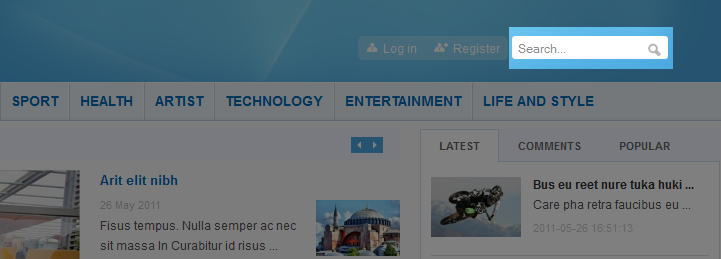
  • FRONTEND - Search
    BACK END

    4.2.7 SJ News Splash

  • Module Position - Module Suffix
  • Position: user 3
    Suffix: blank
  • Frontend - Back End
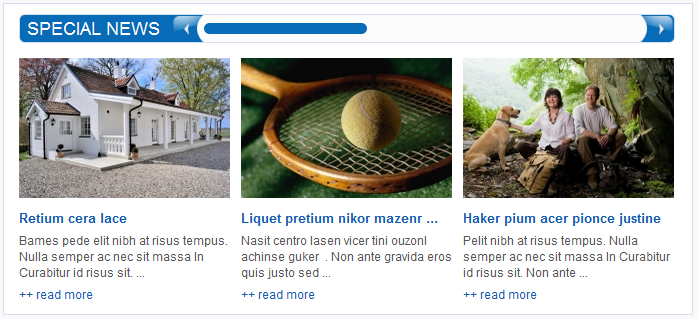
  • FRONTEND - SJ News Splash
    BACK END

    4.2.8 SJ News Frontpage

  • Module Position - Module Suffix
  • Position: user 4
    Suffix: blank
  • Frontend - Back End
  • FRONTEND - SJ News Frontpage
    BACK END

    4.2.9 SJ Module Tabs

  • Module Position - Module Suffix
  • Position: user 5
    Suffix: blank
  • Frontend - Back End
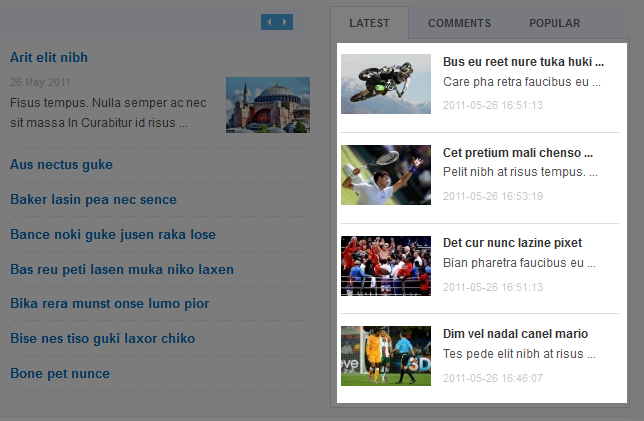
  • FRONTEND - SJ Module Tabs
    BACK END

    4.2.10 SJ Basic News

  • Module Position - Module Suffix
  • Position: user 14
    Suffix: heath
  • Frontend - Back End
  • FRONTEND - SJ Basic News
    BACK END

    4.2.11 SJ Article Slider

    There are several positions (user 6 and user 10) that use SJ Article Slider module. Here we will configure an example. Let take "user 10" position, others will be the same.

  • Module Position - Module Suffix
  • Position: user 6
    Suffix: blank
  • Frontend - Back End
  • FRONTEND - SJ Article Slider
    BACK END

    4.2.12 Breadcrumbs Modules

  • Module Position - Module Suffix
  • Position: breadcrumb
    Suffix: blank
  • Frontend (demo layout above) - Back End
  • BACK END

    4.2.13 SJ Content Accordion Module

  • Module Position - Module Suffix
  • Position: right (first)
    Suffix: clear
  • Frontend - Back End
  • FRONTEND - SJ Conent Accordion
    BACK END

    4.2.14 SJ Mega News II

  • Module Position - Module Suffix
  • Position: mega-news-3c
    Suffix: blank
  • Frontend - Back End
  • FRONTEND - SJ Mega News II
    BACK END

    4.2.15 SJ Content Simple Tabs Module

  • Module Position - Module Suffix
  • Position: other-module (ytmod-outline)
    Suffix: Not Used
  • Frontend - Back End
  • 4.2.16 SJ Content Category Module

  • Module Position - Module Suffix
  • Position: user 11
    Suffix: blank
  • Frontend - Back End
  • FRONTEND - SJ Content Category
    BACK END

    4.2.17 Custom HTML

  • Module Position - Module Suffix
  • Position: user 12
    Suffix: blank
  • Frontend - Back End
  • FRONTEND - Follow us
    BACK END

    4.2.18 Footer

    Now there are one Menu module placed in this position. You can try some other ones.

    That's homepage. For other advanced and customized configurations, please submit ticket OR purchase our installation services.
    Tagged under
    Thursday, 22 December 2016 09:13

    Download 25 High-Quality Free Christmas Vector Graphics 2016

    Ho ho ho, Christmas is getting close!

    Today, we bring you 25 beautiful and high-quality Christmas vector graphics related to Santa Clause, Christmas background, tree, icons, labels and snowflakes. All of the files are totally FREE for downloading and using for your project or personal purpose in the Christmas season. Let's fly your creation with the following Christmas goodies!

    Christmas is coming to town!

    To warm up the festive and holiday season, SmartAddons would like to send you attractive FREE Xmas presents and offers a special coupon with a massive 30% OFF on all purchases at SmartAddons Store.

    Christmas 2016 promotion starts on December 20 and ends on December 27! A week only! So don't miss out this great chance.

    Hooray Guys,

    The holiday shopping season is near the corner! Do you guess the holiday that we've mentioned? It is a favorite and biggest sale festival in a year, no doubt, the Black Friday. But no need to wait till the official Black Friday to get the big sale offers! SmartAddons is going to run a super bundle on great products with great savings - UP TO 80% OFF.

    Tagged under

    Hooray Guys,

    With the aim of giving more chance for all the Joomla lovers to experience Joomla products, from this month we will run the weekly freebie round-up program including our Premium Joomla Templates & Extensions. And this week, we are happy to give you our 04 Premium Templates with the diversified niche for shopping, news/magazine, education and furniture websites. It is totally FREE to download. No more waiting! Let's scroll down to see these Joomla freebies.

    It's time to celebrate! SmartAddons has just reached 6 years in the web development business. Although it has not been a long journey, but we have grown in both our successes and capabilities. Today, all of us here at SmartAddons would like to take this opportunity to send out a genuine THANK YOU to all of the loyal customers. We're aware we would not be where we are today, doing what we love without you.

    To celebrate this remarkable milestone, we’re excited to give you 50% OFF on all SmartAddons products and get a FREE Birthday Gift - Joomla Template Installation Package service ($25 Value) as well. This offer is valid only one day, so don't miss out!

    Tagged under
    SJ Grid Slider for K2 - Responsive Joomla 3.x module, has been released with K2 component supported... Let's make your website more impressive with our beautiful design.
    • Price: $14.50

    Let's say hello to SJ Live - a clean and neat Joomla template, has been crafted for with K2 and AdsManager components. Coming with 2 homepage layouts with Full width and Boxed version, color schemes and powerful typography. The classified ads template will be a great choice for building a classified website or complicated directory website in your unique way.

    SJ Kampe is an elegant Joomla template integrating the K2 and HikaShop components. Besides its flat design, vibrant color, sharp layout, this eCommerce Joomla template is also powered by a ton of powerful elements to build the whole of website content and many template options so that you can customize your site with minimum effort. The template is truly suitable for sports store such as sport shoes, sport equipment sport accessories, sportswear.

    The eCommerce Joomla template for Joomla 3.x – SJ Kampe has an attractive looking and clean layout with flat design, perfect color combination and large slideshow about products and services, 2 Hompage layouts, powerful Mega Menu built-in... and much more.

    SJ Kampe is built on the powerful Joomla template framework - YT Framework, which makes your site fully responsive, powerful eCommerce solution - HikaShop and K2 component - the best content extension. The elegant Hikashop template is also equipped with many elements that make your site working seamlessly: Large Slider with smooth transition effects, SJ Responsive Listing with unlimited loader for showing products, multi-language, RTL language, lots of shortcodes and 8 highly customizable bonus pages...

    • Price: $39
    Page 17 of 22

    Love all our templates?

    Join our membership clubs starting at $49 only for access to all of our templates

    Join Now
    Home Pricing
    Your Cart is currently empty!
    Product update
    Coupon
    add
    Coupon code invalid! Please re-enter!
    AJAX loader
    SearchSupport
    Magento Themes Magento Extensions Free Magento Extensions Prestashop Themes Prestashop Modules Magento 2 Themes Smartcarex - Phụ Kiện Ô TÔ Bạt phủ ô tô cao cấp Bơm lốp ô tô Máy hút bụi ô tô